
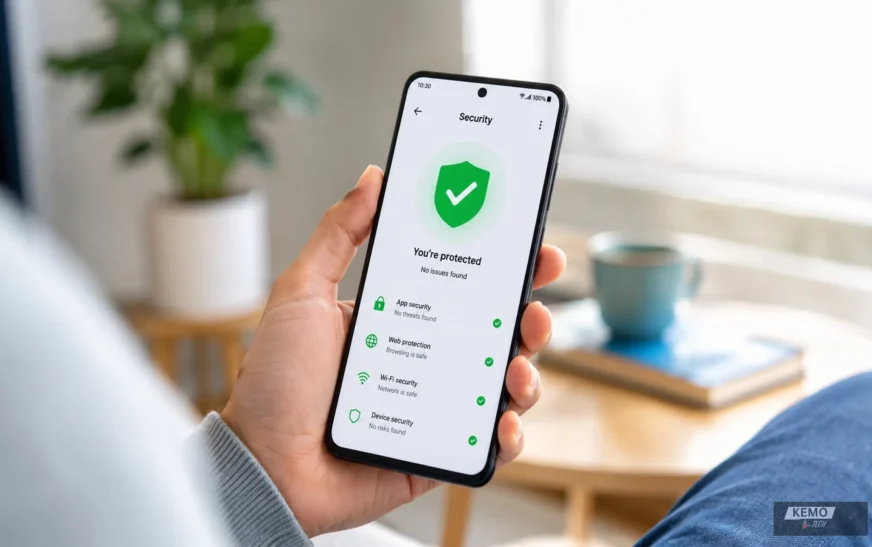
Smartphones now hold more sensitive informationthan most people’s computers. In particular, banking apps, passwords, photos and payment cardsall live on a single device. That makes Androidsecurity a genuine priority, not an afterthought.Fortunately, finding a reliable free antivirus for Android in 2026 is far easier than it used to be.
A decade ago, free mobile antivirus apps were often stripped-down trial versions packed with intrusive ads. As a result, they offered questionable real-world protection. The landscape today is different. However, independent testing labs such as AV-TEST now certify a wide range of mobile security apps. Several genuinely free options now perform on par with their paid counterparts.
This guide covers the best free antivirus apps for Android in 2026. It is based on independent lab results, real-world features and how each app balances protection with battery life and usability. Whether you want lightweight malware protection, a free VPN or anti-theft tools, the options below cover a range of needs and budgets.
Best Free Antivirus Apps for Android
| App | Best For | Real-Time Protection | Free VPN | Overall Assessment |
| Bitdefender | Lightweight scanning | Limited | No | Excellent |
| AVG | Free features | Yes | No | Excellent |
| Avast | Extra tools | Limited | No | Excellent |
| Kaspersky | Detection accuracy | Limited | No | Excellent |
| Avira | VPN users | Limited | Yes | Excellent |
| Play Protect | Built-in protection | Yes | No | Good |
| TotalAV | Beginners | Limited | No | Good |
Choosing the right Android antivirus depends on how you use your phone. Some users want lightweight malware protection. Others prefer extra features such as VPN access, anti-theft tools or Wi-Fi security checks.
Quick Recommendation: For most Android users, Bitdefender Mobile Security offers the best balance of malware detection, battery efficiency and ease of use. If you prefer extra tools such as Wi-Fi security checks and anti-theft features, AVG AntiVirus & Security is an excellent alternative.
Best Free Antivirus Apps for Android in 2026 at a Glance
- Best overall: Bitdefender Mobile Security
- Best free feature set: AVG AntiVirus & Security
- Best extra tools: Avast Mobile Security
- Best malware detection: Kaspersky for Android
- Best free VPN: Avira Antivirus Security
- Best built-in protection: Google Play Protect
- Best for beginners: TotalAV Mobile Security
Why Android Phones Still Need Antivirus Protection in 2026
Android is the most widely used mobile operating system in the world. As a result, it is also the most targeted by cybercriminals. According to AV-TEST, tens of millions of new malware samples targeting Android are identified every year.
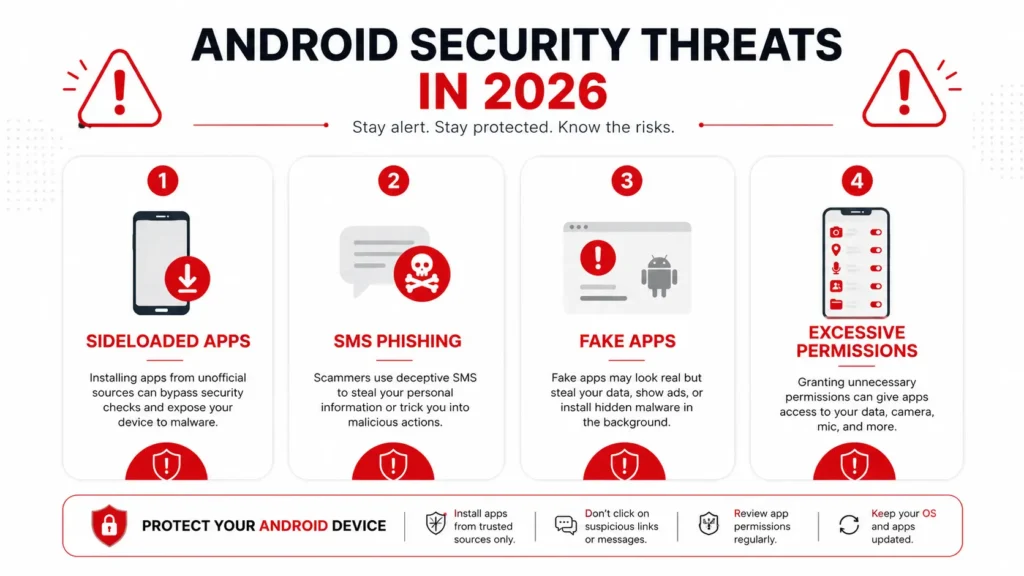
It is worth understanding where the real risks come from. Most Android malware does not arrive through the Google Play Store. Instead, Google Play Protect filters out a large proportion of malicious apps before they reach users. In practice, most Android security incidents stem from risky downloads and phishing attempts. Additionally, excessive app permissions are a common risk. Therefore, good security habits are just as important as installing antivirus software. For more on which apps are worth having, see our guide to the top Android apps we use daily.
The bigger risks come from:
- Sideloaded apps installed from outside the Play Store
- Phishing links sent via SMS (smishing)
- Fake apps that closely mimic legitimate ones
- Apps that request excessive permissions and quietly harvest data
A good free antivirus app works as an additional layer on top of Google Play Protect. It scans installed apps, checks links before you tap them and flags suspicious behaviour.
How We Chose the Best Free Android Antivirus Apps
The recommendations in this guide are based on independent evaluations conducted by AV-TEST. In particular, it is one of the most respected testing organisations in the cybersecurity industry. AV-TEST evaluates Android security apps across three categories — protection, performance and usability. Moreover, each category is scored out of 6, for a maximum possible score of 18.
In AV-TEST’s most recent Android testing rounds, several free apps achieved perfect or near-perfect scores. These include Bitdefender, AVG, Avast, Avira and Kaspersky. However, AV-TEST results provide a benchmark only. Real-world usability, battery impact and feature availability were also considered.
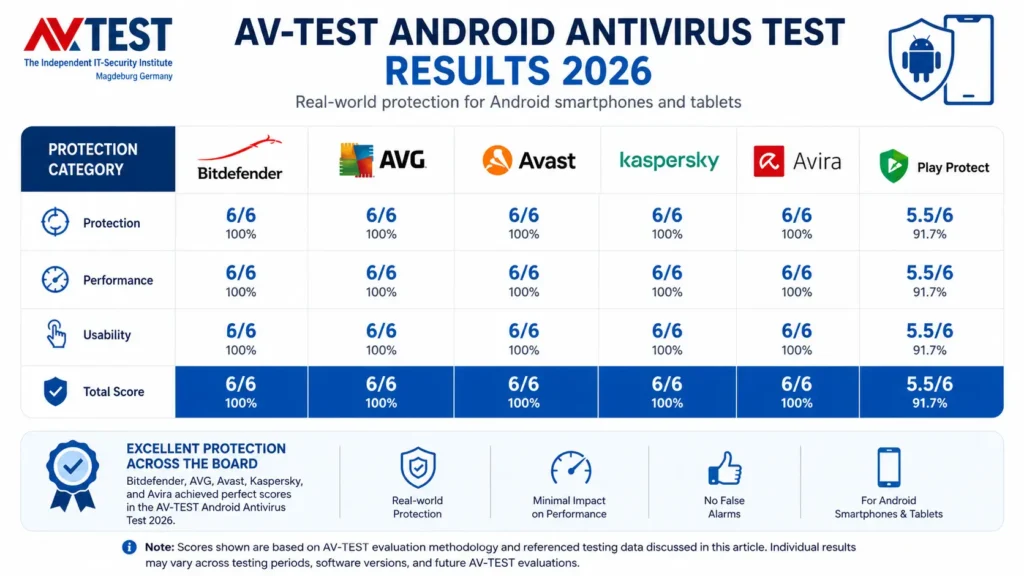
Note: Scores shown are based on AV-TEST evaluation methodology and referenced testing data discussed in this article. Individual results may vary across testing periods, software versions and future AV-TEST evaluations.
The Best Free Antivirus Apps for Android in 2026
1. Bitdefender Mobile Security
Bitdefender consistently ranks among the top performers in AV-TEST’s Android evaluations. Furthermore, it regularly achieves perfect or near-perfect scores across protection, performance and usability.
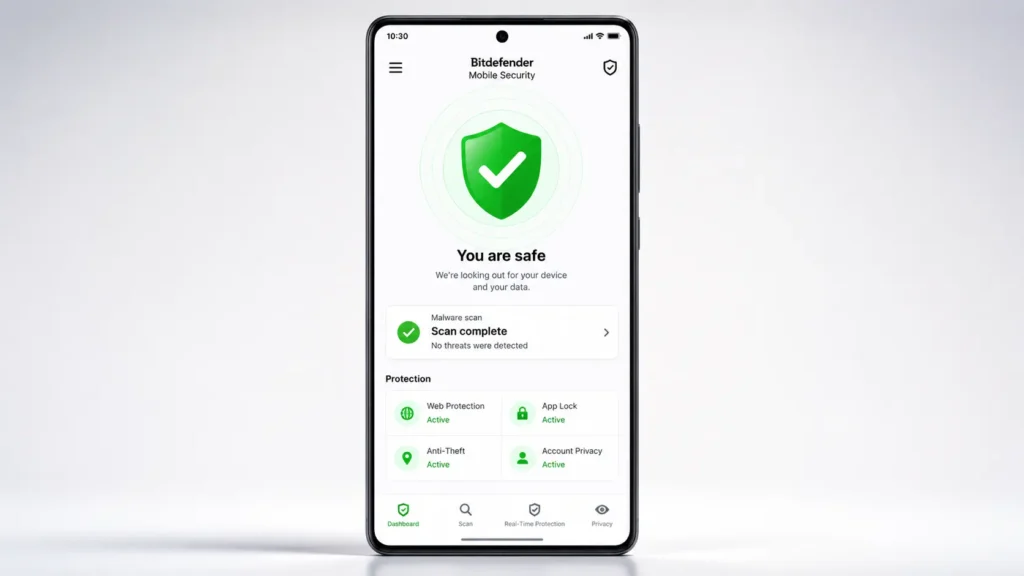
The free version focuses on on-demand malware scanning using cloud-based detection. In addition, it identifies zero-day malware threats without storing large signature databases on the device. As a result, the app stays lightweight with minimal impact on battery life.
Best for: Accurate, lightweight malware scanning with minimal battery impact.
Free tier: On-demand scanning, cloud-based detection.
Paid plan: Bitdefender Mobile Security Premium adds web protection, app anomaly detection, anti-theft tools, call blocking and a VPN, from around $35/year.
2. AVG AntiVirus & Security
AVG is part of the same parent company as Avast. Moreover, it consistently scores a perfect 6/6/6 in AV-TEST’s categories. Its free tier is genuinely generous by industry standards.
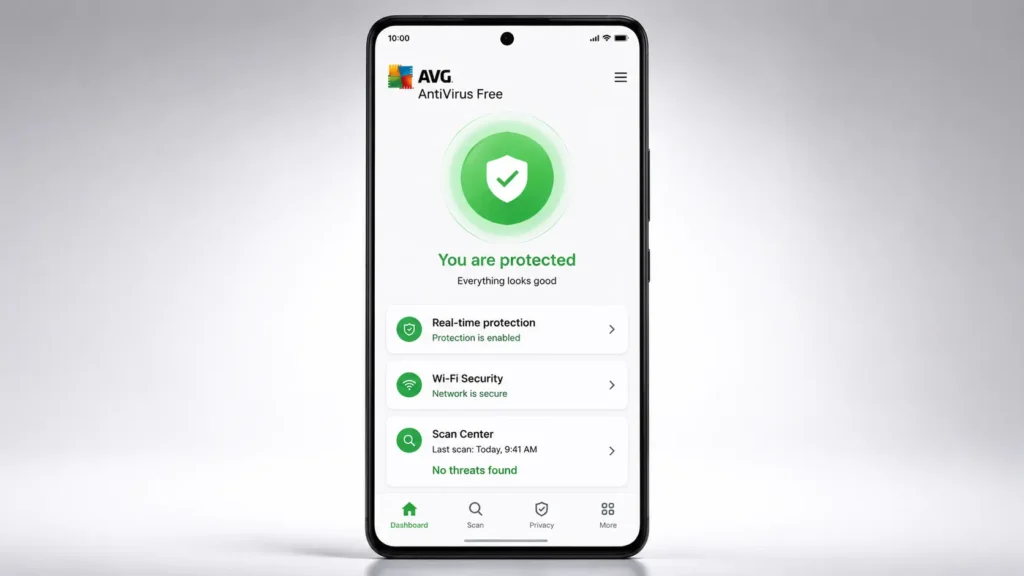
AVG’s free version includes real-time scanning of apps and files. In addition, it includes a Wi-Fi security scanner and basic anti-theft features such as remote device locating.
Best for: Users who want real-time protection plus a Wi-Fi security check, entirely free.
Free tier: Real-time scanning, Wi-Fi security check, basic anti-theft.
Paid plan: AVG AntiVirus Pro adds VPN, app lock and additional anti-theft features.
3. Avast Mobile Security
Avast is one of the most recognisable names in antivirus software. Furthermore, its free Android app bundles in tools that many competitors reserve for paid tiers.
The free version includes malware scanning and basic anti-theft tools. In addition, it includes a breach alert that notifies you if your email appears in a known data leak. Moreover, AV-TEST has scored Avast highly, achieving perfect 6/6/6 results in several recent testing rounds.
Best for: Users who want a wide range of free extra tools — breach alerts, Wi-Fi checks and anti-theft in one app.
Free tier: Malware scanning, Wi-Fi check, breach alerts, basic anti-theft.
Paid plan: Avast One adds VPN, real-time protection and identity monitoring.
4. Kaspersky for Android
Kaspersky has a long-standing reputation for strong malware detection. Furthermore, its Android app continues that tradition with consistent 6/6/6 scores in AV-TEST evaluations.
The free tier includes on-demand and scheduled malware scanning. In addition, it includes basic web protection that blocks known malicious sites. An anti-theft module also allows users to locate, lock or wipe a lost device remotely.
Best for: Users who prioritise raw malware detection accuracy above extra features.
Free tier: On-demand scanning, basic web protection, anti-theft (locate, lock, wipe).
Paid plan: Kaspersky Premium adds real-time protection, VPN and call/text filtering. Visit the Kaspersky for Android page for full plan details.
5. Avira Antivirus Security
Avira’s Android app is a consistent performer in AV-TEST’s testing. In particular, it regularly scores full marks across all three categories.
The free version includes malware scanning and a basic VPN. In addition, it includes identity protection alerts for data breaches. Furthermore, a privacy advisor reviews which apps have access to your camera, microphone and contacts.
Best for: Users who want a basic free VPN alongside malware protection.
Free tier: Malware scanning, limited VPN, breach alerts, permission/privacy advisor.
Paid plan: Avira Prime removes VPN data limits and adds additional security tools.
6. Google Play Protect — Built-In Android Security
Google Play Protect does not require a separate app. Instead, it is built into virtually every Android device and runs automatically.
Play Protect continuously scans apps on your device. In addition, it checks them against Google’s database of known malware. However, Play Protect has scored 5.5/6 for protection in AV-TEST evaluations — slightly behind the top dedicated apps. That said, it is still a meaningful baseline layer of defence. Furthermore, Google announced expanded AI-powered security features at Google I/O 2026, so Play Protect will become even more capable ahead.
Play Protect is not as feature-rich as dedicated antivirus apps. But it remains an important first layer of defence and should always be enabled.
Best for: A baseline layer of protection that requires no installation.
Free tier: Always free — built into Android.
7. TotalAV Mobile Security
TotalAV has built a reputation for being beginner-friendly. In particular, its clean interface makes core features easy to access. Moreover, AV-TEST has awarded it strong scores generally in the 5.5–6 range for protection.
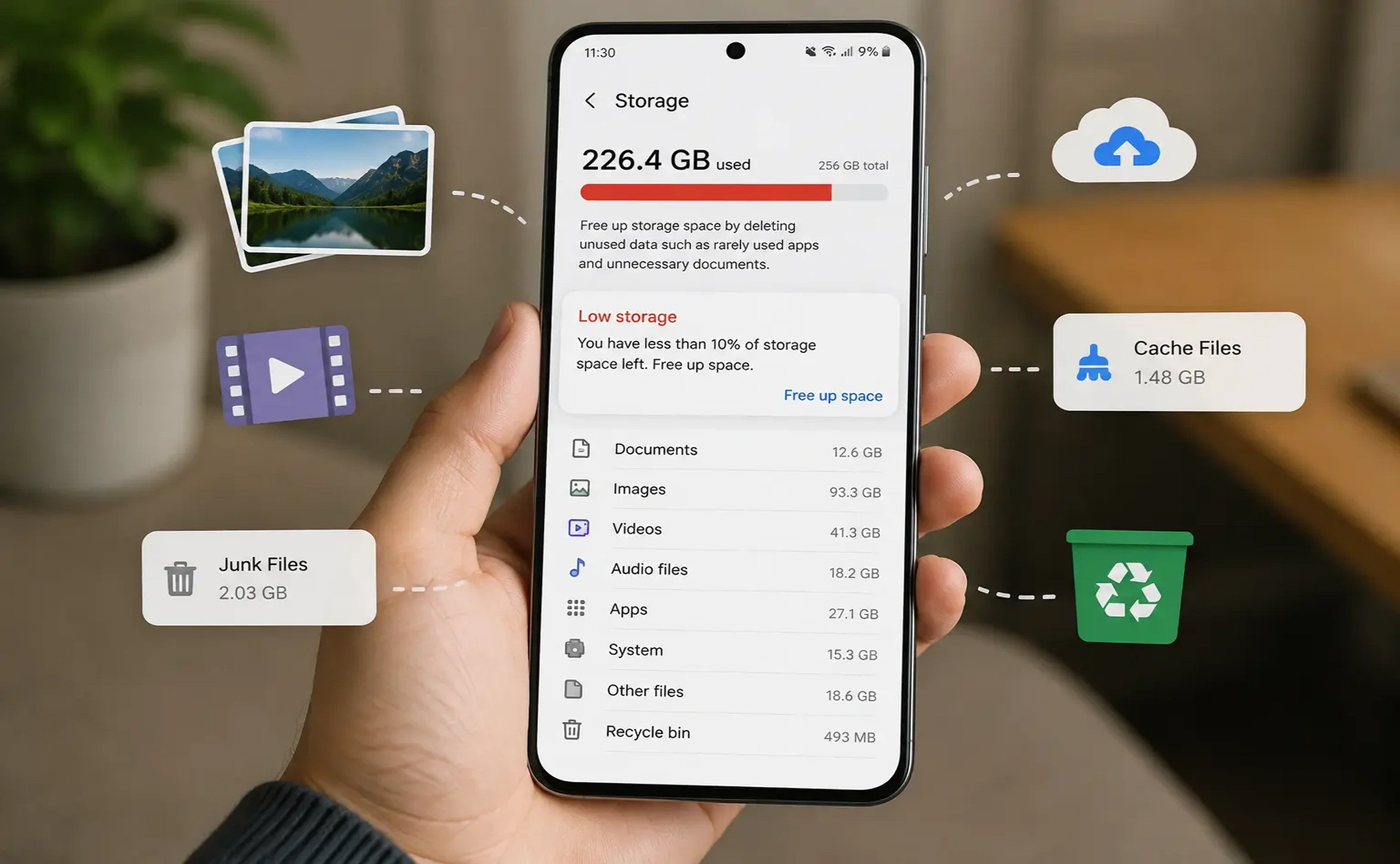
The free version includes basic malware scanning and a QR code scanner. In addition, simple cleanup tools clear cache and junk files to free up storage.
Best for: Beginners who want a simple interface with everyday extras like QR scanning and storage cleanup.
Free tier: Basic scanning, QR code scanner, system cleanup.
Paid plan: TotalAV Mobile Security Premium adds real-time protection and stronger web filtering.
Free vs Paid Android Antivirus: What You Actually Give Up
Across every app in this guide, the pattern is broadly similar. Free tiers typically provide on-demand or basic malware scanning. However, real-time protection is frequently reserved for paid subscriptions. Furthermore, free tiers often omit features like a VPN and app lock. Advanced web protection and identity monitoring are also typically paid-only.
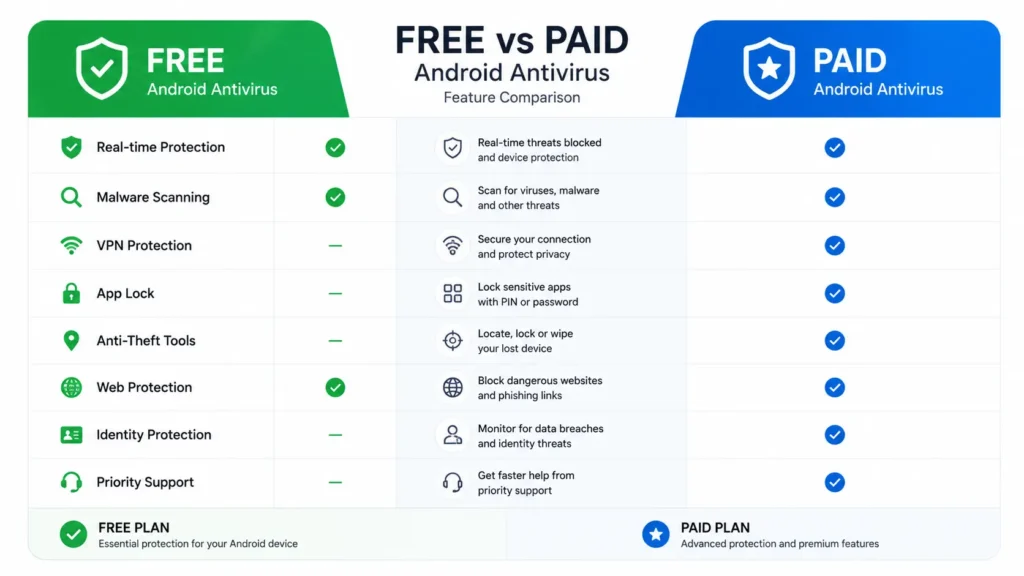
For most everyday users — those who stick to the Play Store and keep Play Protect enabled — a free antivirus app is more than enough. However, users who regularly sideload apps or connect to public Wi-Fi are more likely to benefit from a paid plan. In addition, if you frequently use public Wi-Fi, it is worth learning how to enable Wi-Fi calling on Android for safer connectivity.
Practical Tips for Better Android Antivirus Protection
An antivirus app works best alongside good habits. In particular, the following steps make a significant difference:
– Keep Android and all apps updated. As a result, security patches close vulnerabilities that malware exploits.
– Stick to the Google Play Store wherever possible. Furthermore, be cautious about sideloading APK files from other sources.
– Review app permissions regularly. In particular, question any app requesting access to your microphone or location without a clear reason.
– Be sceptical of unexpected links in texts or emails. Moreover, SMS phishing is one of the most common attack methods on Android.
– Finally, ensure Google Play Protect is switched on (Settings > Security & Privacy > Play Protect) as a foundational layer.
Frequently Asked Questions
Android includes Google Play Protect as a baseline. However, SMS phishing and malicious sideloaded apps are increasingly common. An additional free antivirus app adds a meaningful layer of protection at no cost.
Well-designed free antivirus apps have minimal impact on performance and battery life. Several score full marks for performance in AV-TEST’s testing. Apps with constant real-time scanning may have a slightly higher impact than on-demand scanning apps.
Reputable apps from established security companies are safe and independently tested by AV-TEST. Download antivirus apps only from the Google Play Store. Be cautious of unfamiliar security apps with very few downloads or reviews.
Bitdefender Mobile Security is consistently one of the strongest performers in independent testing. Users who want extra free features — such as Wi-Fi security checks, breach alerts or a basic VPN may prefer AVG, Avast or Avira.
Google Play Protect provides a useful baseline. Users who frequently sideload apps or use public Wi-Fi may benefit from an additional antivirus app.
So, Which Free Android Antivirus Is Best in 2026?
The best free antivirus apps for Android in 2026 offer strong protection at no cost. Furthermore, Bitdefender, AVG, Avast, Kaspersky and Avira all perform well in independent testing. As a result, they provide a genuine additional security layer on top of Google Play Protect.
However, no antivirus app offers perfect protection. Good habits around app sources and suspicious links remain just as important as the software itself. That said, installing one of the apps in this guide takes only a few minutes and costs nothing.
Overall, Bitdefender and AVG remain the strongest free options. In addition, Google Play Protect should always stay enabled as a baseline. Finally, if you are looking to boost your productivity on Android, our guide to the best AI tools for beginners covers the top apps available in 2026.