
Samsung has long been one of the most influential brands in the Android smartphone market — not just through hardware innovation, but also through its software layer known as One UI. Over the years, One UI has evolved from a basic Android skin, most recently with One UI 7 — into a fully-fledged ecosystem that enhances productivity, accessibility and user experience. With the release of One UI 8, Samsung marks a critical turning point. It isn’t just another routine update — it represents the brand’s boldest step into the future of mobile computing, artificial intelligence and cross-device continuity.
One UI 8 Refines Samsung’s Design Language
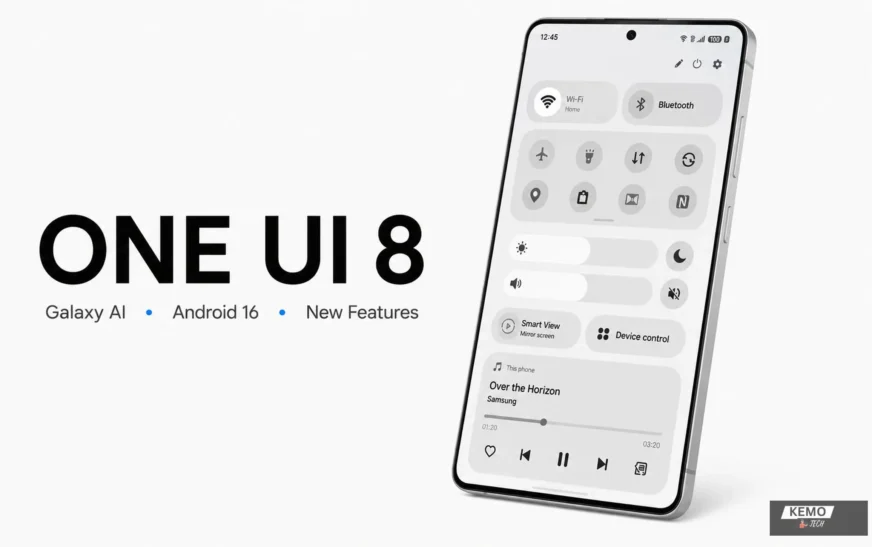
While previous versions of One UI brought subtle refinements, One UI 8 introduces a complete rethinking of the user interface. The design is flatter, cleaner and more dynamic, aimed at making interactions more fluid and intuitive. Icons, animations and menus have been reworked for better visual hierarchy and a more modern aesthetic.
Key visual improvements include
- Smoother, more natural animations
- New charging visuals and motion-based transitions
- Redesigned notification and quick settings panels
These improvements go beyond aesthetics — they add genuine utility. Daily tasks feel quicker and more satisfying thanks to the improved visual feedback and flow. This level of refinement helps Samsung close the fluid design gap between its interface and Apple’s iOS.
Galaxy AI and Smarter Integration
One UI 8 isn’t just about what you see — it’s about what you experience. The update deeply integrates Samsung’s AI capabilities, building on the foundation of Galaxy AI introduced with the Galaxy S24 series. In this version, AI isn’t limited to one or two flagship features; it’s embedded throughout the interface.
Smart AI Features Include
- AI-based text and image generation within Samsung Notes and Gallery
- Context-aware navigation improvements powered by Android 16
- Smart App Suggestions based on your daily routines
- Auto Summarization for notes, emails and even videos
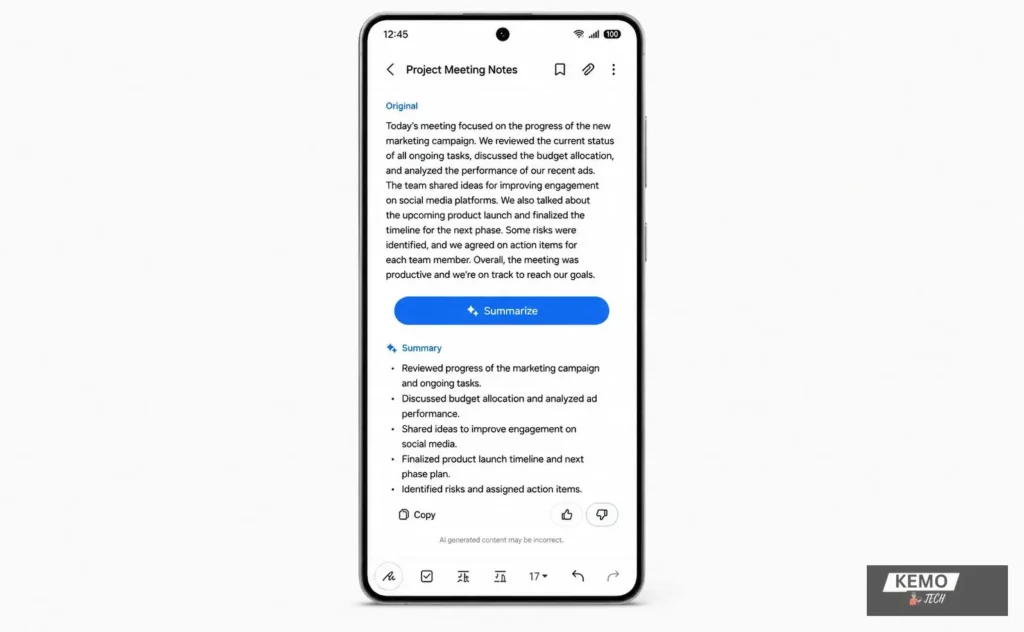
With these improvements, your device becomes a proactive assistant that reduces effort and boosts output. It’s a clear signal that Samsung is aligning One UI with the broader trend of AI-driven user experience — turning the phone into a smart companion rather than just a tool.
Seamless Cross-Device Experience
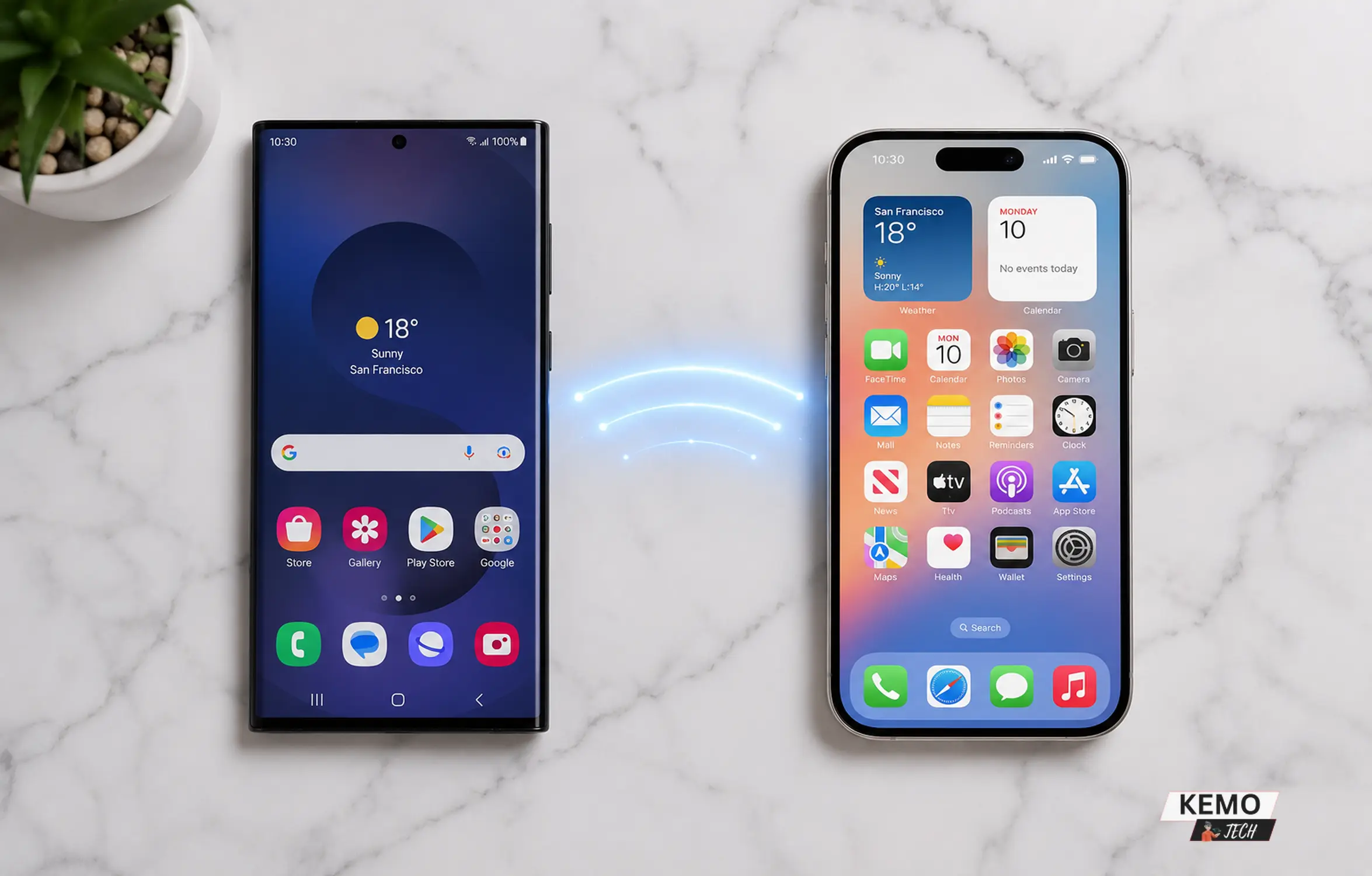
One UI 8 further strengthens Samsung’s ecosystem integration, making transitions between Galaxy phones, tablets and Windows PCs more seamless. Improvements to cross-device functionality enable easier file sharing, smoother device continuity and more efficient interaction across compatible Galaxy devices.
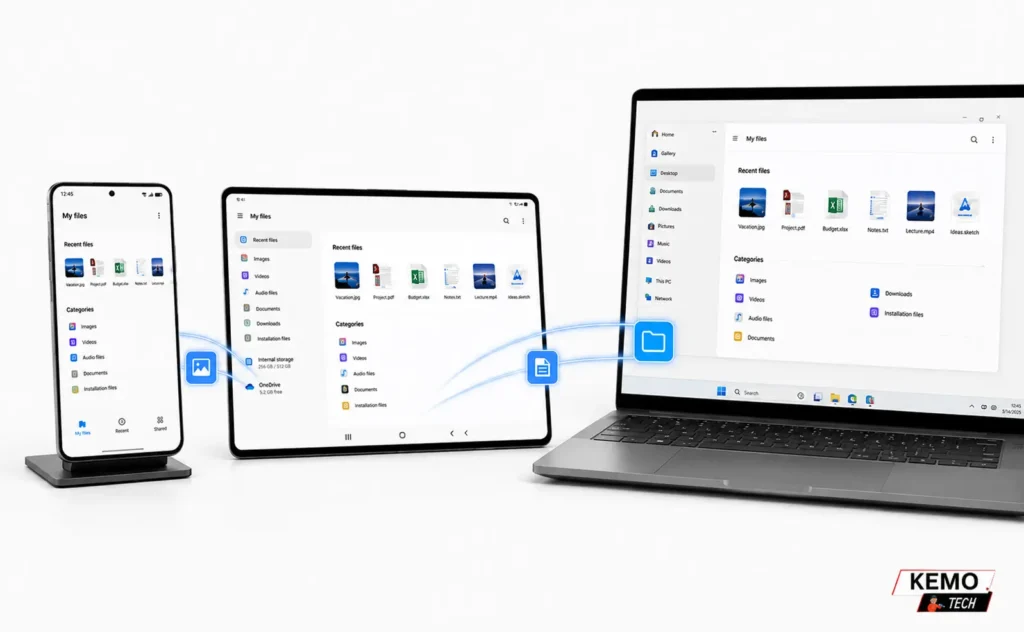
- Continuity for calls and apps across devices
- Galaxy Buds Auto Switch becomes smarter and faster
- Smart View and DeX now offer enhanced control and better screen mirroring
Thanks to its ecosystem-first approach, Samsung outperforms the majority of Android OEMs — positioning One UI 8 as a credible rival to Apple’s continuity features like Handoff and Universal Clipboard.
Extended Support to Older Devices
One UI 8 continues Samsung’s commitment to long-term software support, bringing the latest user experience improvements to a wider range of Galaxy devices. The update is available for several eligible smartphones and foldables, including select A-series models and older Z-series devices such as the Galaxy Z Fold 4 and Galaxy Z Flip 4.
By extending support beyond its newest flagships, Samsung enables more users to benefit from interface refinements, security enhancements and system optimizations.
This approach helps extend device lifecycles, strengthens customer trust and supports a more sustainable mobile ecosystem by reducing electronic waste and encouraging longer-term device ownership.
Privacy and Security at the Core
One UI 8 also places a premium on privacy and control. Samsung Knox has always been a highlight, but in this release the protections are more visible and customizable.
Key security features include:
- Enhanced Privacy Dashboard
- More granular permission controls
- Improved Samsung Knox protection
- Knox Vault security enhancements
Samsung follows the path Google and Apple are treading, but adds unique value by offering enterprise-grade security to everyday consumers. As mobile devices become central to both work and personal life, One UI 8 gives users stronger control over their sensitive data.
Android 16 Foundation with Unique Enhancements
Despite being based on Android 16, One UI 8 goes well beyond stock Android. Samsung has adopted core Android features such as:
- Predictive Back
- Partial screen recording
- Improved battery health monitoring
However, Samsung layers these with exclusive enhancements, including:
- Custom Lock Screen Shortcuts
- Enhanced Edge Panels
- S Pen Integration for foldables and tablets
These proprietary features make Samsung’s flavor of Android arguably more robust and user-friendly than Google’s Pixel UI.
A Major Leap for Foldables and Tablets
One UI 8 is especially transformative for foldable phones and tablets, which Samsung continues to champion. The update brings:
- Taskbar improvements for Galaxy Z Fold
- Dual-pane multitasking refinements
- Flex Mode enhancements for camera, video calls and apps
- Enhanced S Pen productivity features for supported devices
Samsung’s consistent investment in software optimization for foldables shows they’re not just releasing experimental devices — they’re establishing a new form factor standard.
Developer Tools and Customization
One UI 8 gives power users and developers more flexibility. The Good Lock suite expands further, allowing deeper control over animations, lock screens, quick panels, and even Bixby routines.
- Theme Park offers more granular color and layout options
- Sound Assistant provides app-specific audio control
- Home Up lets users change task switchers and folder behaviors
With Android 16’s new APIs, developers also gain better access to hardware-level functions, especially on Galaxy Tabs and Fold devices.
Sustainability and Battery Life Optimization
Energy efficiency and eco-awareness are increasingly important in mobile experiences. One UI 8 introduces:
- Improved battery health management
- Smarter background app optimization
- Adaptive power-saving enhancements
Beyond saving energy, these features help reduce the carbon footprint of extended device usage — part of Samsung’s broader sustainability commitment for mobile technology.
A New Era of User-Centric Innovation
Above all, One UI 8 represents Samsung’s commitment to listening to users. With each iteration, user feedback has played a major role. The result is a UI that caters to everyday convenience while incorporating the latest technological advances.
It’s no longer just about speed or raw power — it’s about relevance, intuitiveness and user delight.
One UI 7 vs One UI 8 — The Difference Is Bigger Than You Think
| Category | One UI 7 | One UI 8 |
|---|---|---|
| Base Android Version | Android 15 | Android 16 |
| User Interface Design | Polished visuals and improved consistency | Refined design with smoother animations and interface enhancements |
| Notification Panel | Updated layout and controls | Further refinements with improved usability and visual consistency |
| Animations & Transitions | Improved fluidity over One UI 6 | More polished and responsive system animations |
| Smart Features | Bixby Routines, Smart Suggestions | Expanded Galaxy AI features and smarter contextual recommendations |
| AI Integration | AI features available in select experiences | Broader Galaxy AI integration across supported apps and services |
| Cross-Device Experience | Multi Control, Quick Share, device continuity | Enhanced ecosystem integration and improved continuity across devices |
| Samsung Notes | OCR, syncing, productivity tools | Additional AI-assisted productivity and content organization features |
| DeX Mode | Desktop-style experience | Improved compatibility, scaling, and multitasking support |
| Privacy & Security | Knox Vault, app permissions, privacy controls | Enhanced Knox protection and more granular privacy controls |
| Foldables & Tablets Support | Optimized multitasking and taskbar support | Further refinements for large-screen productivity and multitasking |
| Battery Optimization | Adaptive Battery and power-saving modes | Improved battery health management and background app optimization |
| Customization Tools | Good Lock support and Theme Park | Expanded customization options through Good Lock modules |
| Supported Devices | Primarily newer Galaxy devices | Broader rollout across eligible Galaxy smartphones and foldables |
| Lock Screen Features | Widgets, wallpapers, customization options | Enhanced personalization and contextual lock-screen experiences |
| Developer Features | Android 15 APIs | Android 16 APIs and updated development capabilities |
| Sustainability | Power-saving and battery management tools | Greater focus on device longevity and long-term software support |
| Visual Themes | Theme Park support | More refined theming and personalization controls |
One UI 8 Didn’t Just Catch Up — It Pulled Ahead
With One UI 8, Samsung delivers its most refined, intelligent and future-forward user interface to date. This isn’t just an update to keep pace with Android — it’s a bold step to lead the Android ecosystem into a smarter, more cohesive era.
One UI 8 highlights Samsung’s vision of mobile technology as more than just a screen in your pocket. With AI improvements, cross-device capabilities, sustainability features and strengthened privacy, it’s an integrated extension of your lifestyle.
As One UI 8 expands to additional devices through 2025, it is poised to redefine what consumers expect from Android software and may well raise the bar for the entire industry.