


If you have heard the phrase “AI tools” and are not entirely sure what it means, you are far from alone. In 2026, understanding what are AI tools has become increasingly important as artificial intelligence moves from science fiction into everyday life at remarkable speed — and the terminology has not always kept pace with the reality. This guide explains what AI tools are, how they work at a basic level, what they can do, and why they have become so significant in 2026.
What Is Artificial Intelligence (AI)?
Before defining AI tools, it helps to briefly understand what artificial intelligence actually is.
Artificial intelligence refers to computer systems that can perform tasks that would normally require human intelligence. These include understanding natural language, recognising images, making decisions, generating text, translating languages and identifying patterns in large amounts of data.
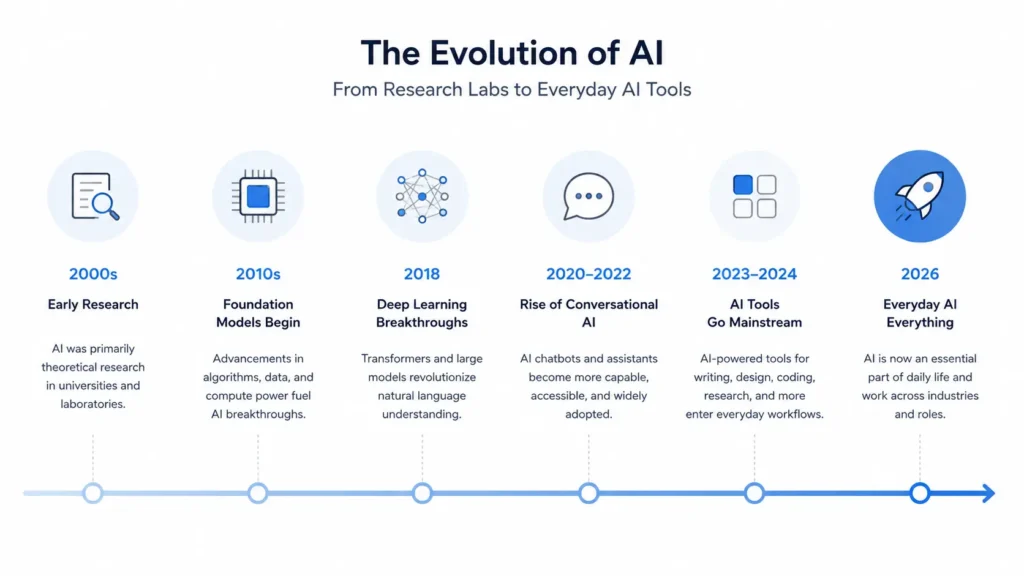
For most of the last few decades, AI existed primarily in research labs and large technology companies. It powered things like spam filters in email, product recommendations on shopping sites, and fraud detection in banking — but it operated invisibly, in the background and rarely in ways that ordinary people interacted with directly.
That changed dramatically in the early 2020s. A new generation of AI models became so capable that they could hold sophisticated conversations, produce professional-quality writing, generate photorealistic images, and assist with complex tasks — all through a simple, accessible interface that anyone could use. This is what gave rise to the modern AI tool.
What Is an AI Tool?
Quick Definition: An AI tool is software that uses artificial intelligence to help people complete tasks such as writing, research, design, coding, communication, or organisation more quickly and efficiently.
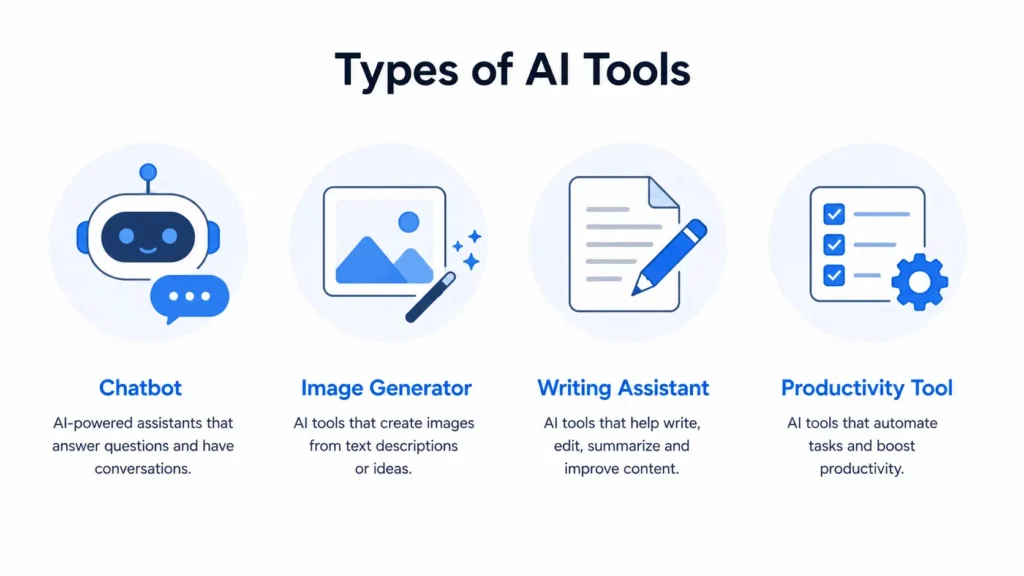
The word “tool” is deliberately broad. An AI tool might be a chatbot you converse with to get answers to questions. It might be an image generator that creates original visuals from a text description. It might be a writing assistant that checks your grammar and suggests improvements in real time. It might be a productivity platform that summarises your emails, takes notes in meetings, or helps you manage your schedule. What all these applications have in common is that they use AI — specifically, machine learning models trained on large amounts of data — to deliver capabilities that feel, in some ways, like working with an intelligent collaborator.
The most important thing to understand is that modern AI tools are designed to be used through natural language. You do not need to write code or understand how the underlying technology works. You describe what you need and the tool responds.
How Do AI Tools Work?
You do not need to understand the technical details to use AI tools effectively, but a basic understanding of how they work can be helpful.
The most common type of AI powering modern tools is called a large language model or LLM. These are systems trained on enormous amounts of text — books, websites, scientific papers, code, conversations — so that they learn patterns in how language works. They learn which words tend to follow which other words, how ideas are connected, what makes an argument coherent and how to produce responses that are contextually appropriate.
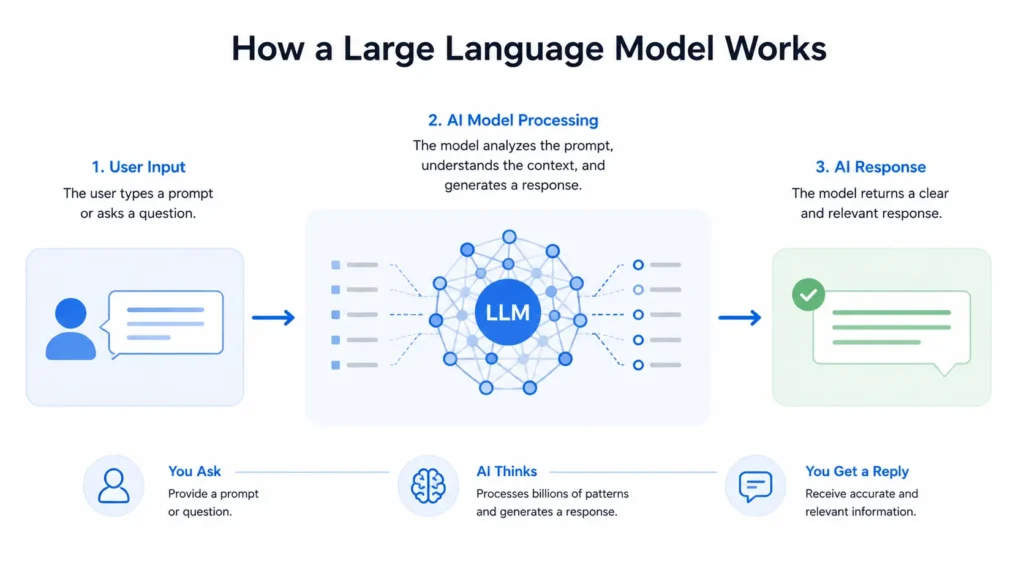
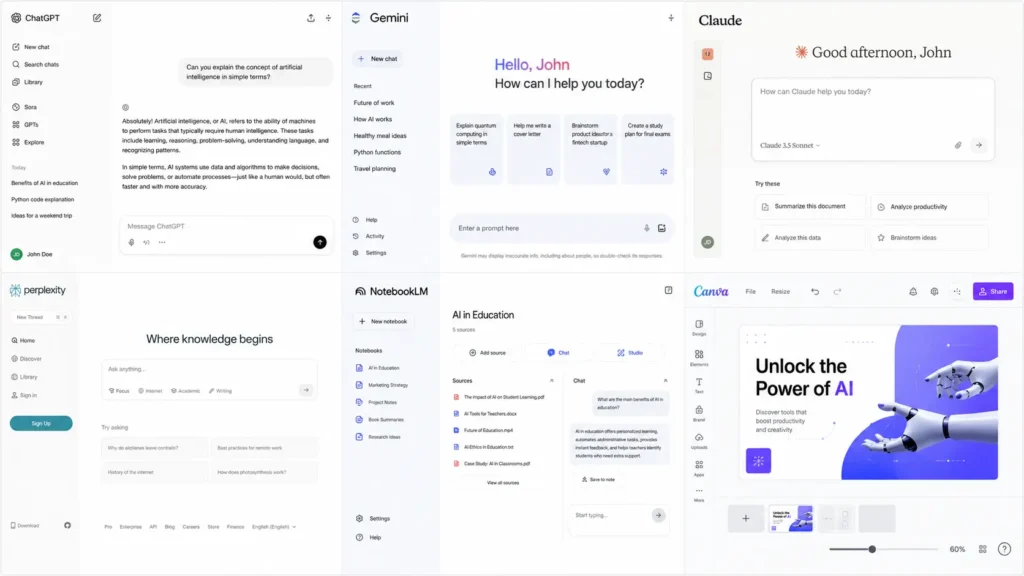
When you type a message to an AI assistant like ChatGPT, Claude or Gemini, you are sending text to one of these models. The model processes your input and generates a response word by word, based on what it has learned during training and what the context of your conversation suggests is the most helpful reply.
Image generation tools work on a different but related principle. Tools like Midjourney, DALL-E and Stable Diffusion are trained on millions of images paired with descriptive text. They learn the relationship between descriptions and visual content and can generate new images that match a text prompt.
Other AI tools use techniques like speech recognition (to transcribe audio), computer vision (to understand images and video) or recommendation algorithms (to suggest content). Most modern AI tools combine several of these technologies.
What Can AI Tools Do?
| AI Tool Type | Common Use Case | Popular Examples |
| AI Chatbots | Questions, writing, brainstorming | ChatGPT, Gemini, Claude |
| AI Research Tools | Finding information | Perplexity, NotebookLM |
| AI Design Tools | Graphics and visuals | Canva, Adobe Firefly |
| AI Coding Tools | Programming help | GitHub Copilot, Cursor |
| AI Meeting Tools | Transcription and notes | Otter.ai |
| AI Video Tools | Video creation | Synthesia, Descript |
The range of tasks AI tools can assist with in 2026 is remarkably broad. Here is an overview of the main categories.
Writing and Content Creation
AI writing tools can draft articles, blog posts, emails, product descriptions, social media captions, scripts and reports. They can help you overcome writer’s block by generating an outline or a first draft. They can adjust the tone of your writing — making it more formal, more casual, more persuasive or more concise. Tools like ChatGPT, Claude and Jasper are widely used for this purpose.
Research and Information
AI research tools can search the web in real time, compile information from multiple sources, and present it in a structured, easy-to-read format. Perplexity AI, for example, provides cited answers to questions, showing exactly which sources it drew from. Google’s NotebookLM allows you to upload your own documents and ask questions about them. These tools dramatically accelerate the research process.
Image and Visual Generation
AI image generators can create original, high-quality images from a text description. You might describe a product mockup, a social media graphic, a logo concept or an illustration and the tool will produce it. Midjourney, Adobe Firefly and DALL-E (within ChatGPT) are among the most widely used. Canva has also built AI image generation into its broader design platform.
Productivity and Organisation
AI productivity tools help you manage your time, your information, and your workflow. Notion AI can help you write, summarise, and organise within your knowledge base. Otter.ai transcribes meetings in real time and generates summaries. Microsoft Copilot integrates AI into the Office suite, helping you draft in Word, analyse data in Excel, and summarise emails in Outlook. Businesses are also increasingly using AI-powered workflow automation to streamline operations and reduce repetitive tasks.
Coding and Development
For people who write code, AI coding assistants have become transformative. GitHub Copilot suggests code completions, explains what existing code does and helps debug errors. Cursor is a full AI-powered code editor. Claude and ChatGPT are also widely used for coding support, explanation and problem-solving.
Customer Service and Communication
Businesses use AI tools to power chatbots that handle customer queries around the clock. These range from simple FAQ bots to sophisticated conversational agents that can process refunds, book appointments and escalate complex cases to human agents.
Audio, Video and Multimedia
AI tools can now transcribe audio, generate realistic voiceovers, create video from text scripts, translate spoken content in real time and even produce music. ElevenLabs creates natural-sounding AI voices. Synthesia generates professional videos using AI avatars. Descript allows you to edit video by editing a text transcript.
What AI Tools Cannot Do
Understanding the limitations of AI tools is just as important as understanding their capabilities.
AI tools can be wrong. Large language models sometimes produce confident-sounding answers that are factually incorrect — a phenomenon known as “hallucination.” This is particularly relevant when you ask about very specific facts, recent events or niche topics. Always verify important information from authoritative sources.
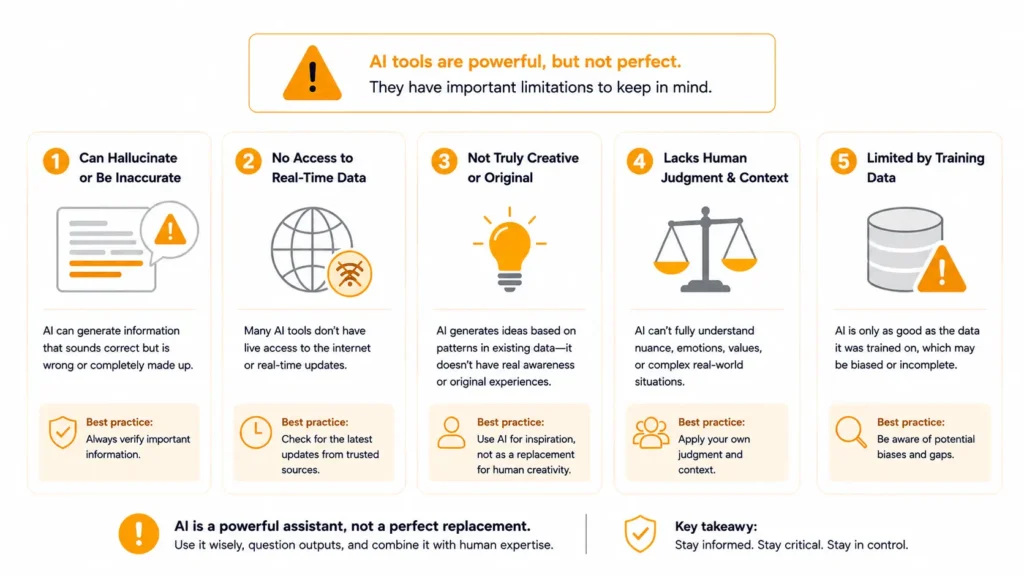
AI tools do not understand in the way humans do. They process patterns in data and generate responses based on those patterns. They do not have genuine comprehension, lived experience, emotions or common sense in the human sense. This matters when the task requires nuanced judgment, ethical reasoning or an understanding of human context.
AI tools are not creative in the way humans are. They can produce impressive and original-seeming outputs, but they do so by recombining and extending patterns from their training data. Genuinely novel ideas, deep creative vision and original artistic expression still come from humans.
AI tools do not know everything that has happened recently. Most large language models have a training cutoff — a date after which they have not seen new information. Some tools address this by connecting to real-time web search, but it is worth understanding what data your chosen tool has access to.
AI tools should be viewed as assistants rather than replacements for human judgment. While they can save time and improve productivity, important decisions involving health, legal, financial or safety matters should always be reviewed by qualified professionals.
The Difference Between Free and Paid AI Tools
| Feature | Free Version | Paid Version |
| Usage Limits | Lower | Higher |
| AI Models | Standard | Advanced |
| Response Speed | Normal | Faster |
| File Uploads | Limited | Expanded |
| Image Generation | Often Limited | Full Access |
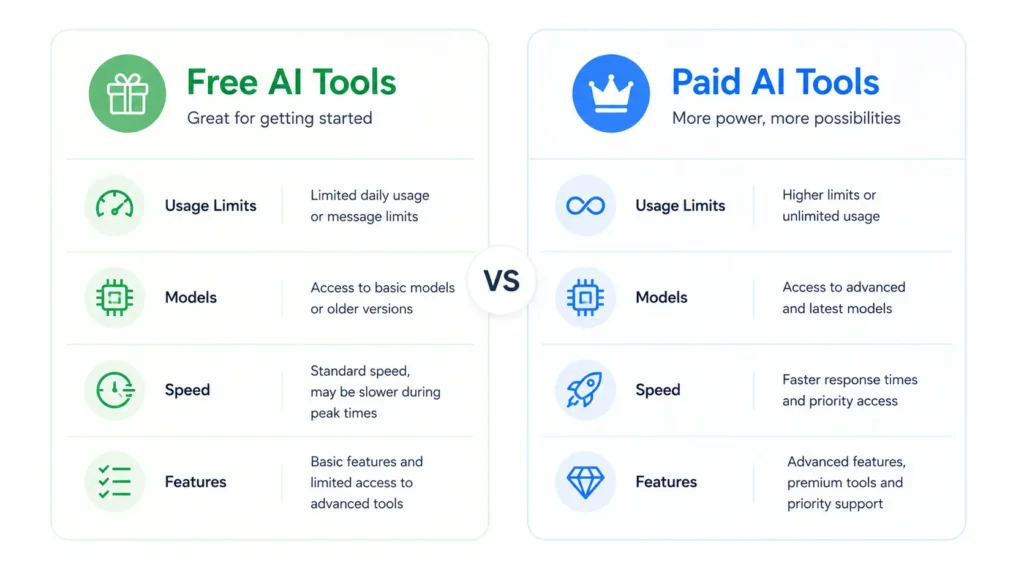
Most major AI tools offer both a free tier and one or more paid subscription plans. In 2026, the free tiers have become genuinely powerful — far more so than they were even two years ago. You can accomplish a great deal without paying anything.
The key differences between free and paid plans typically come down to usage limits (how many queries or generations you can make per day), access to the most advanced models (paid tiers usually offer access to the latest, most capable versions), speed (paid users often get faster responses during busy periods) and additional features (things like image generation, file uploads or integrations that may be reserved for subscribers).
For casual users and beginners, free tiers are usually sufficient. For professionals who rely on AI tools heavily throughout their working day, the productivity gains from a paid plan typically justify the cost.
Why AI Tools Matter in 2026
The reason AI tools have become so significant is not that they replace human effort. It is that they dramatically amplify it. A single person with access to the right AI tools can research, write, design and communicate at a volume and quality that would previously have required a team.
For individuals, AI tools mean greater productivity, better output quality, and the ability to do more with the same amount of time. For businesses, they mean reduced operational costs, faster content production, better customer service and more informed decision-making.
The technology is also becoming more tightly integrated into the software people already use. Microsoft Copilot is built into Office. Google Gemini is woven into Workspace. AI is appearing in design tools, customer relationship management platforms, accounting software and content management systems. In many cases, you may already be using AI without thinking of it as such.
Many professionals also combine these AI tools with structured project management templates to keep tasks, deadlines, resources and team communication organised as projects become more complex. While AI can help automate repetitive work, having a clear project framework remains essential for staying productive and aligned with goals.
Getting Started With AI Tools
If you are new to AI tools and want to begin exploring them, the simplest approach is to start with a conversational AI assistant. If you’re looking for recommendations, our guide to the best AI tools for beginners covers the most accessible platforms to start with before exploring more advanced options.
Ask it to help you draft an email. Ask it to explain a topic you are curious about. Ask it to summarise a document. See how it handles your specific requests, where it performs well, and where its limitations become apparent.
From there, you can identify whether you need a specialist tool for a particular task — a design tool if you create visual content, a research tool if you spend time finding information, a writing assistant if you produce a lot of written work.
The most important thing is to approach AI tools as exactly that — tools. They are powerful, they are improving rapidly, and they can make a genuine difference to how you work. But like any tool, their value depends on how well you understand them and how thoughtfully you apply them.
Frequently Asked Questions
An AI tool is software that uses artificial intelligence to help users complete tasks such as writing, research, design, coding and productivity more efficiently.
Popular AI tools include ChatGPT, Google Gemini, Claude, Perplexity AI, NotebookLM, Canva AI and Grammarly.
Many AI tools offer free plans with useful features. Paid plans typically provide higher limits and access to advanced capabilities.
No. Most modern AI tools are designed for everyday users and can be used through simple text or voice prompts.
ChatGPT is often considered the best AI tool for beginners because it is easy to use and supports a wide range of tasks, including writing, research, learning and productivity.