
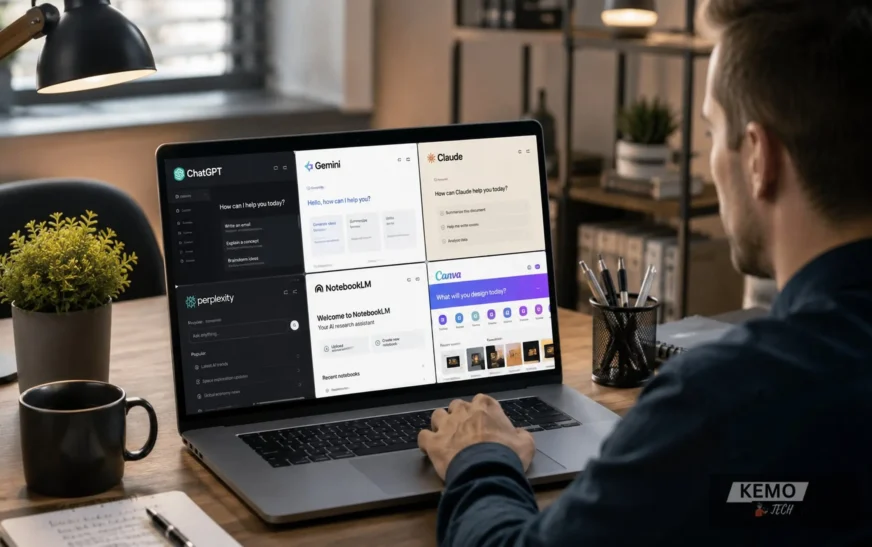
Artificial intelligence is no longer the exclusive preserve of software engineers and data scientists. In 2026, millions of people with no technical background at all are using the best AI tools for beginners every single day — to write better, research faster, design visuals, organise their work and automate tasks that used to eat hours of their week. If you are new to AI and unsure where to start, this guide is for you.
The challenge for beginners is not a shortage of tools. It is the opposite. There are hundreds of AI platforms competing for your attention and most of them promise to change your life. Cutting through the noise and identifying the tools that are genuinely useful — without a steep learning curve, a confusing interface or an immediate bill is exactly what this guide does.
Below, you will find the best AI tools for beginners in 2026, chosen because they are easy to start, immediately useful and flexible enough to grow with you.
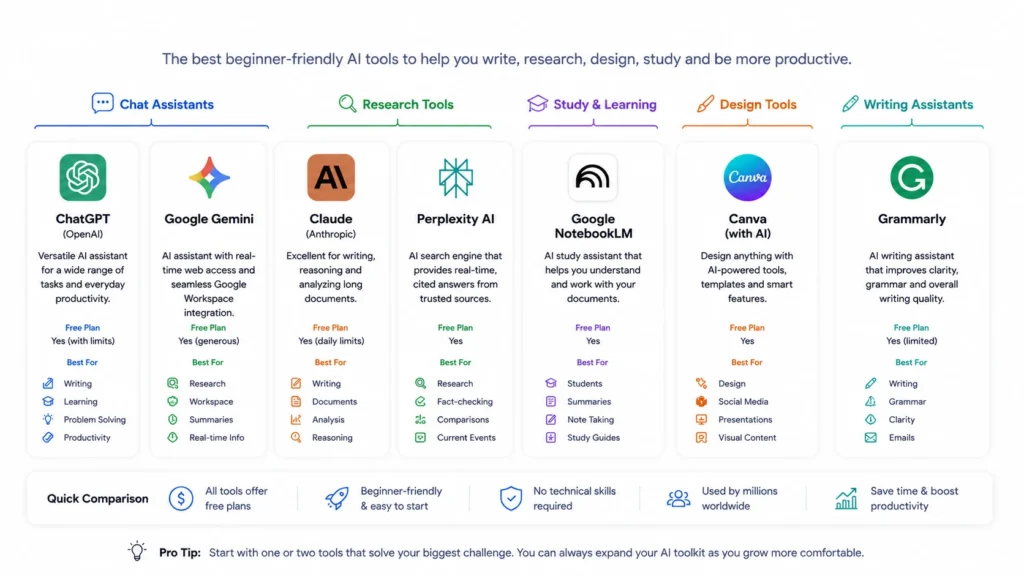
Before diving into the details, here is a quick overview of the best AI tools for beginners covered in this guide and the types of users they are best suited for.
| Tool | Best For | Free Plan | Difficulty |
| ChatGPT | General AI tasks | Yes | Easy |
| Gemini | Google Workspace users | Yes | Easy |
| Claude | Writing and documents | Yes | Easy |
| Perplexity | Research and fact-checking | Yes | Easy |
| NotebookLM | Students and researchers | Yes | Easy |
| Canva | Design and visual content | Yes | Easy |
| Grammarly | Writing improvement | Yes | Very Easy |
What Makes an AI Tool Good for Beginners?
Before diving into the list, it helps to understand what “beginner-friendly” actually means in the context of AI tools.
The best tools for newcomers share four qualities. First, they require no technical setup. You should be able to create an account, open a browser, and start getting value within minutes. Second, they offer a meaningful free tier. Beginners should not have to pay before they understand what they are paying for. Third, they work in natural language. You type or speak in plain English and the tool responds helpfully. No coding, no prompt engineering certification required. Fourth, they cover common use cases. Writing, research, design and productivity are the four areas where beginners consistently get the most value.
Best AI Tools for Beginners in 2026
1. ChatGPT (OpenAI)
For many beginners, ChatGPT is often the first AI tool they try because it can handle everything from writing emails to explaining complex topics in plain language. You can use it to draft emails, explain complex topics in plain language, summarise documents, help with research, create social media posts, write code and brainstorm ideas.
The free version gives you access to GPT-4o with some daily usage limits. For most beginners, that is more than enough. The interface is a simple chat window — you type your question or request and ChatGPT replies. There is nothing to install and nothing complicated to learn.
ChatGPT’s greatest strength for beginners is its sheer versatility. Rather than committing to a dozen different tools for different tasks, you can start with ChatGPT alone and discover what AI can do for you before branching out.
Best for: General tasks, writing, research, learning and everyday productivity.
Free tier: Yes, with usage limits on advanced features.
Paid plan: ChatGPT Plus at $20/month for higher limits and priority access.
2. Google Gemini
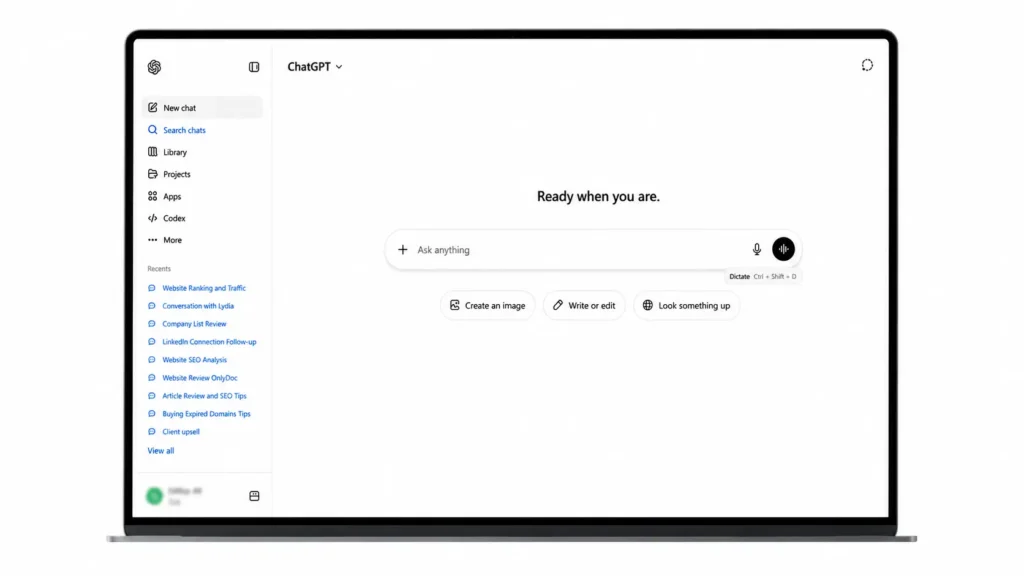
Gemini is Google’s AI assistant, and in 2026 it has become a serious contender — particularly for people already embedded in the Google ecosystem. If you use Gmail, Google Docs, Google Drive or Google Calendar, Gemini integrates directly with those tools, allowing you to summarise emails, draft documents and access information without constantly switching between apps.
The free tier of Gemini has improved significantly and now includes real-time web access, image understanding and integration with Google Search. For students and professionals who live inside Google Workspace, it is one of the most convenient AI tools available.
Gemini also has a particularly strong Deep Research feature that is available to free users, allowing it to compile detailed, cited reports on any topic. For users interested in how Google’s AI ecosystem is evolving, its growing focus on AI-powered research capabilities reflects many of the trends highlighted at Google I/O 2026. Just a year ago, features of this depth were often reserved for premium AI subscriptions.
Best for: Google Workspace users, research, real-time information.
Free tier: Yes, generous.
Paid plan: Google One AI Premium for advanced features.
3. Claude (Anthropic)
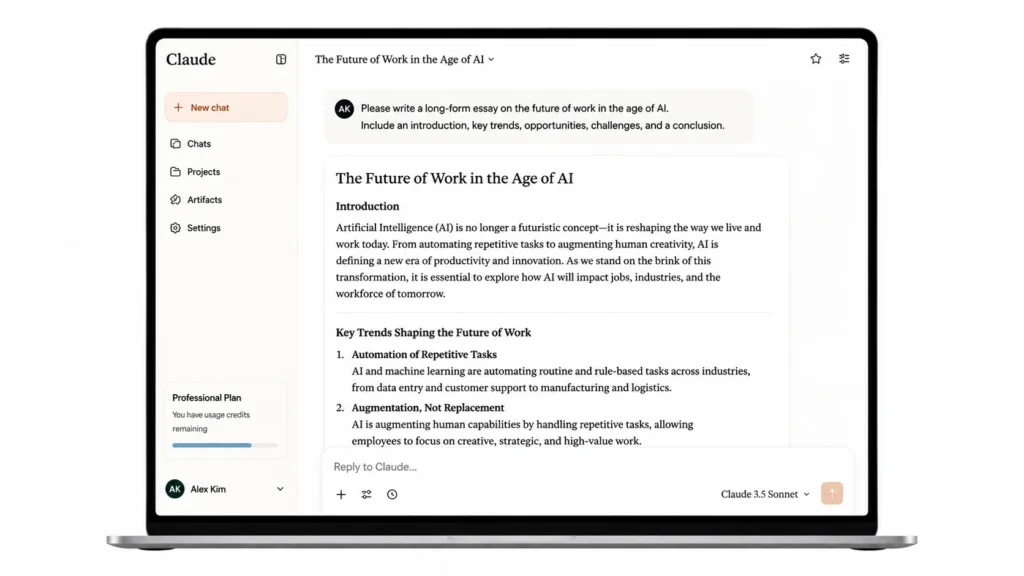
Claude is widely regarded as one of the best AI assistants for writing and nuanced reasoning. It produces text that feels natural, well-structured and genuinely thoughtful — qualities that matter a great deal when you are drafting an important email, writing a report, or working through a complex problem.
For beginners, Claude is particularly approachable because it tends to give clear, well-explained answers rather than padded, generic responses. It handles long documents with ease, making it an excellent choice if you need to upload a PDF and ask questions about it.
The free tier provides access to Claude Sonnet, which is more than capable for everyday tasks. If you are a beginner who primarily needs writing support, Claude is arguably the best starting point.
Best for: Writing, long-form content, document analysis, nuanced reasoning.
Free tier: Yes, with daily limits.
Paid plan: Claude Pro for higher usage.
4. Perplexity AI
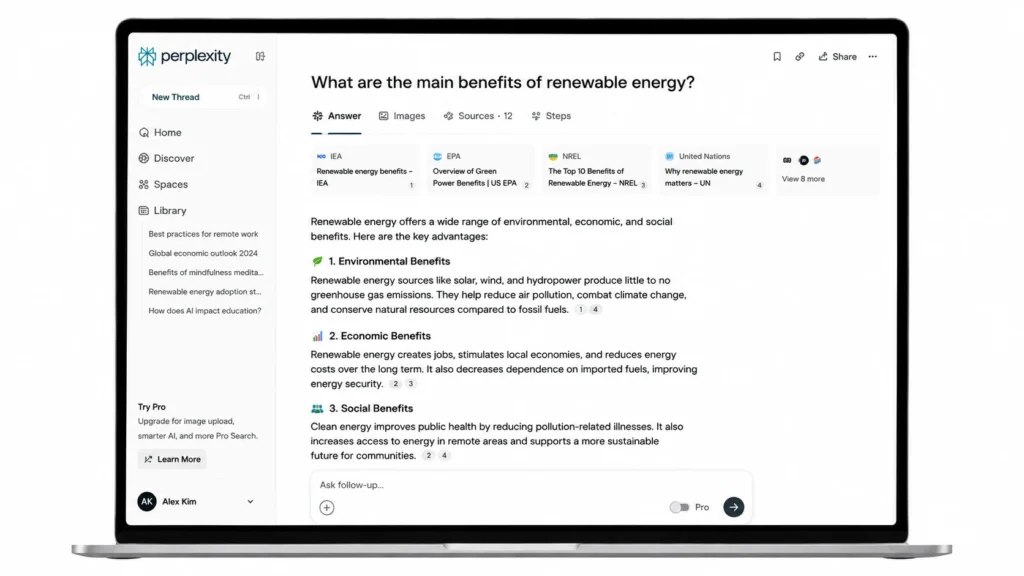
Perplexity is an AI-powered search and research assistant that works differently from a standard chatbot. Instead of generating answers from its training data alone, it searches the web in real time and provides cited, sourced responses. Every answer includes links to the pages it drew from, so you can verify what it tells you.
This makes Perplexity exceptionally trustworthy for research. If you are looking up current events, comparing products or trying to understand a complex topic with up-to-date information, Perplexity is the tool to use.
For beginners who are cautious about AI “hallucinations” (confidently wrong answers), Perplexity’s source-based approach is reassuring and builds good habits around verifying information.
Best for: Research, fact-checking, current information, cited answers.
Free tier: Yes, including some Pro searches per day.
Paid plan: Perplexity Pro for unlimited Pro searches.
5. Google NotebookLM
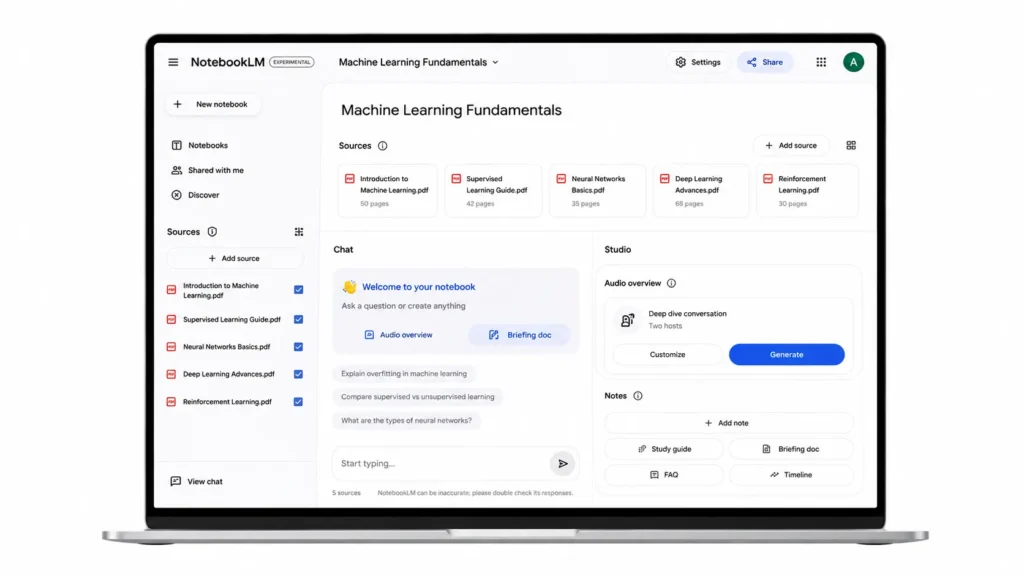
NotebookLM is one of the most underrated AI tools available in 2026 and it is completely free. You upload your own sources (PDFs, documents, websites, YouTube transcripts, Google Docs) and NotebookLM becomes an expert on that specific material. It will answer questions using only what you have uploaded, which means no hallucinated facts and no irrelevant information.
For students, it is exceptional. Upload your lecture notes, textbooks, and reading lists and NotebookLM can create summaries, flashcards, study guides and even an Audio Overview — a podcast-style discussion between two AI hosts talking through your material.
Free users can create up to 100 notebooks, with each holding up to 50 sources. That is extraordinarily generous for a free tool.
Best for: Students, researchers, anyone who works from their own documents.
Free tier: Yes, fully free.
6. Canva (with AI features)
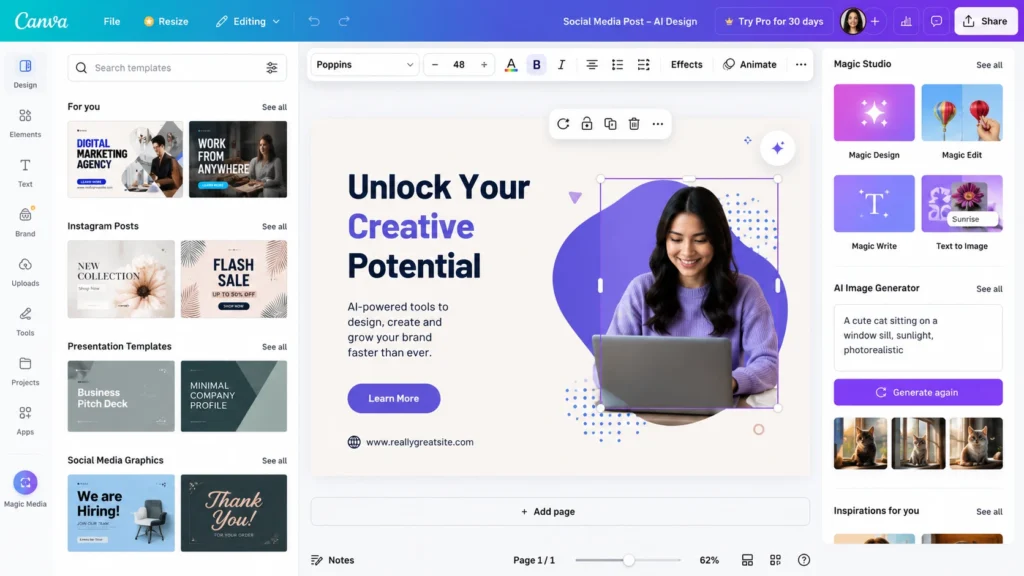
Canva has long been the go-to design tool for non-designers and its AI features have made it even more powerful. With Canva, you can create social media graphics, presentations, posters, logos, and short videos using drag-and-drop tools, AI-generated images, automatic background removal, and one-click resizing for different platforms.
For beginners who need to produce visual content — whether for personal projects, a small business or a side hustle — Canva is genuinely transformative. You do not need to understand design principles or own expensive software. You describe what you want and Canva helps you build it.
Best for: Visual content creation, social media graphics, presentations.
Free tier: Yes, generous. Paid plan unlocks more templates and AI credits.
Paid plan: Canva Pro at approximately $15/month.
7. Grammarly
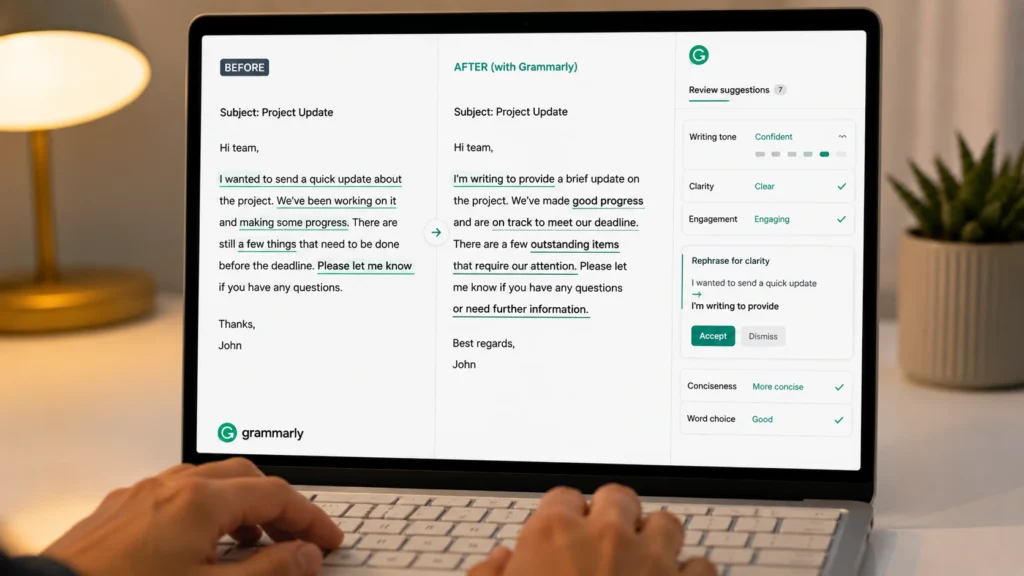
Grammarly is an AI writing assistant that checks your grammar, spelling, tone, clarity and style across every platform you write on. It integrates with your browser, email client, Google Docs and most writing applications, providing suggestions in real time as you type.
For beginners who are not confident writers, Grammarly acts as a personal editor available around the clock. It catches errors that spell-checkers miss, flags when your tone might come across as too aggressive or too casual and suggests clearer alternatives to vague phrases.
Even experienced writers find Grammarly valuable because it eliminates the kind of subtle mistakes that are easy to miss in your own work.
Best for: Writing improvement, emails, professional documents, academic work.
Free tier: Yes, covers core grammar and spelling.
Paid plan: Grammarly Premium for advanced suggestions including tone and clarity.
Where to Start if you are New to AI
With seven of the best AI tools for beginners listed here, you might be wondering where to begin. The answer is start with one.
If you want to explore what AI can do across a wide range of tasks, start with ChatGPT. Ask it questions about topics you care about, ask it to help you draft an email, ask it to explain something you have never fully understood. Spend a week with it before adding anything else.
Once you have a feel for conversational AI, add a specialist tool based on your specific needs. If you are a student add NotebookLM. If you create visual content add Canva. If you write professionally, add Grammarly or Claude.
The goal is not to use every tool simultaneously. The goal is to build a small, focused stack that saves you time, improves your workflow and produces better results than you could achieve alone.
Common Questions from AI Beginners
No. In 2026, the free tiers of the major AI tools are genuinely useful. ChatGPT, Claude, Gemini, Perplexity, NotebookLM and Canva all offer meaningful free access. You may eventually find it worthwhile to pay for a specific tool once you understand how you use it and what the limits of the free tier cost you in productivity — but there is no need to spend anything to get started.
No. All the tools listed above are designed for non-technical users. There is no coding involved, no complex configuration and no jargon-heavy setup process. If you can use a search engine or send an email, you can use these AI tools.
The single most effective thing you can do is be specific. Instead of asking “help me write an email,” say “help me write a professional email to my supplier asking for a 10% discount on our next order.” The more context you provide, the more useful the response will be. This is sometimes called prompting, and it improves naturally with practice.
The major platforms — OpenAI, Google, Anthropic take data privacy seriously and have published clear policies about how your data is used. For sensitive personal or business information, you should review the privacy policy of any tool before using it and avoid inputting confidential data into free consumer-grade products. Enterprise versions of these tools offer stronger data handling guarantees.
Getting Started With AI Is Easier Than Ever
The AI tools available to beginners in 2026 are more capable, more affordable and more accessible than at any point in the history of the technology. The barrier to getting started has never been lower.
The tools covered in this guide — ChatGPT, Gemini, Claude, Perplexity, NotebookLM, Canva and Grammarly represent a robust starter stack that covers the most common use cases for new AI users. None of them require technical expertise. Most of them are free to start. All of them are genuinely useful.